Data Platform

Iterate your schema
in production

Iterate seamlessly
Trusted by teams
that ship fast
defines resources in GitHub with version control and easy deployments.
per day
latency
per day
“With all the features considered, Tinybird was the best option for us. We really liked the fact that we could define the resources in the GitHub repository and then have multiple people working on it with version control. The ease of deploying things to the workspace - everything worked out of the box very well.”

Malu Soares
Software Engineer at Framer

Zero downtime migrations
Evolve your schema,
not your ops
schema-migration-plan.md
# DIY ClickHouse Schema Migration
23
ClickHouse performance
4Flexible schema
5- Stop ingestion before migration6- Manually CREATE new tables7- Write scripts to backfill data8- Rebuild materialized views from scratch9- Coordinate downtime with your team10- Hope nothing breaks# Tinybird Deployments
23
ClickHouse performance
4Flexible schema
5+ Zero downtime, always6+ Automatic cross-version bridging7+ Smart backfills with Forward Queries8+ Materialized views handled automatically9+ Staging + pre-deploy checks10+ Instant rollback on failure11+ On-demand compute for large migrations
How it works
Safe iteration
at any scale
Smart Migrations
- Cross-version bridging between old and new tables
- Only migrates affected ingestion chains
- Upstream tables stay untouched when only downstream changes
Zero Downtime
- UNION ALL read views maintain query availability
- Real-time tables capture data during migration
- Seamless promotion swaps resources atomically
Forward Queries
- Transform data during migration with SQL
- Handle type conversions and schema incompatibilities
- Control exactly how historical data is backfilled
On-Demand Compute
- Automatic scaling for migrations over 50GB or 100M rows
- Dedicated 64-core instances avoid production contention
- No manual provisioning needed
Staging Deployments
- Test schema changes in isolated staging environments
- Validate with `tb deploy --check` before going live
- Automatic rollback if deployment fails
Local-First Development
- Build and test data projects locally with `tb local`
- Seamless CI/CD integration via Git
- Deploy from CLI or automated pipelines

Schema evolution
Supported
schema changes
FAQs
What schema changes does Tinybird support?
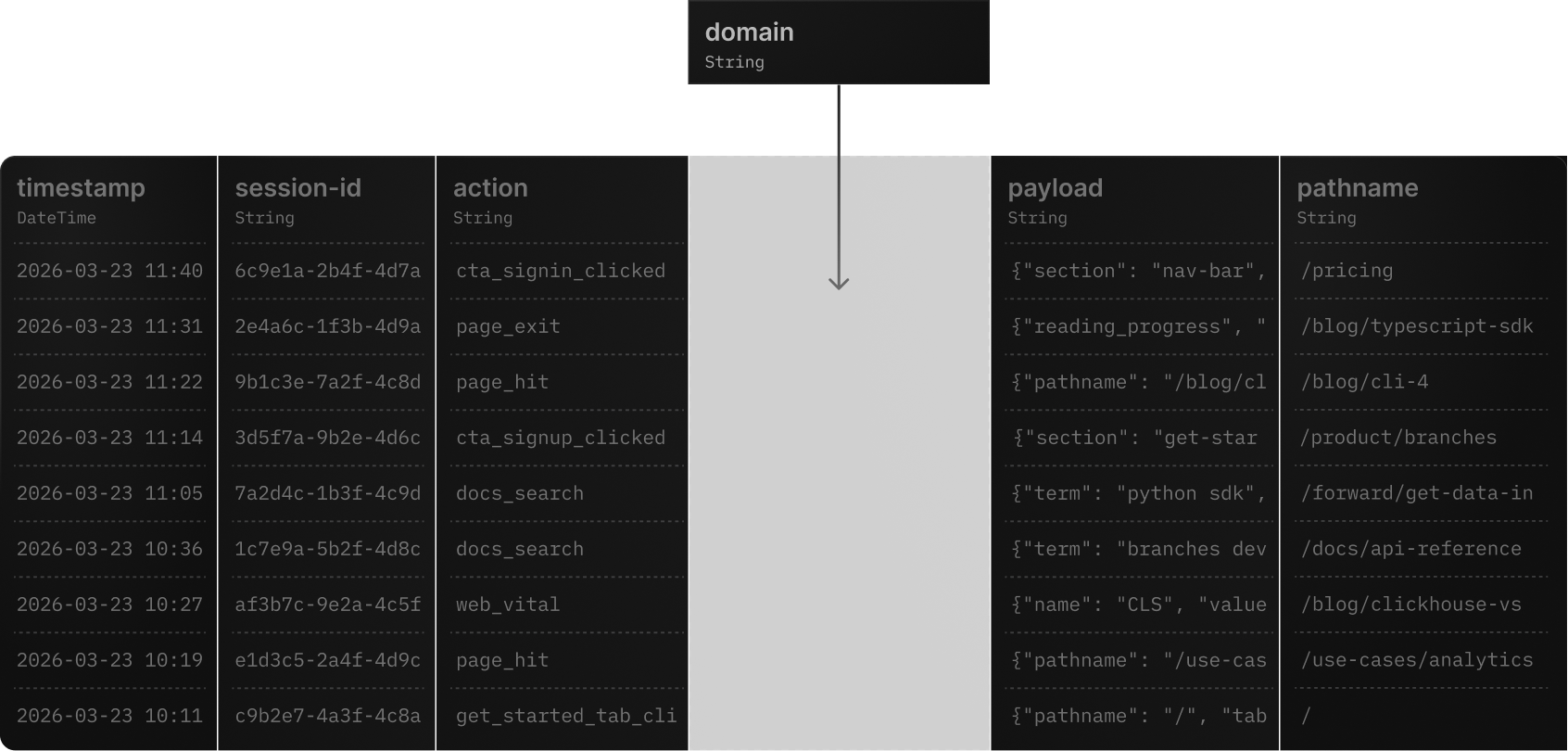
Tinybird supports adding/removing columns, changing column types, modifying sorting keys, updating partition keys, changing TTL settings, adding/updating materialized views, and modifying engine settings. All changes are handled through the deployment system with automatic backfills.
What happens to my data during a schema change?
Your data remains fully available and consistent throughout the entire deployment. Tinybird creates temporary real-time tables to capture incoming data and UNION ALL read views to serve queries from both old and new tables simultaneously. Once the migration completes, everything is swapped atomically.
What is a Forward Query?
A Forward Query is a SQL SELECT statement that tells Tinybird how to transform existing data to match a new schema. For example, when converting a column from String to UUID type, you provide a Forward Query with the appropriate CAST expression. Forward Queries are required when schema changes are incompatible with existing data.
How long do schema migrations take?
Migration duration depends on data volume and the nature of changes. For small datasets, deployments complete in seconds. For large datasets (50GB+ or 100M+ rows), Tinybird automatically provisions dedicated on-demand compute instances to handle the migration without affecting production workloads.
Can I test schema changes before deploying to production?
Yes. You can use `tb deploy --check` to validate changes before deployment, and staging deployments to test with real data. You can even ingest data into staging and query staging endpoints to verify behavior before promoting to live.
What happens if a deployment fails?
If a deployment fails at any point, Tinybird automatically discards the staging deployment and maintains the live version. Your production data and endpoints remain completely unaffected. You can inspect the failure, fix the issue, and redeploy.
Does Tinybird migrate all my data during every schema change?
No. Tinybird's deployment algorithm is smart about what needs to migrate. If only a downstream materialized view changes, the upstream landing table stays untouched via cross-version bridging. Only the affected parts of the ingestion chain get new versions and backfills.
How does Tinybird handle materialized views during schema changes?
When schema changes affect tables with materialized views, Tinybird creates bridging MVs between deployment versions to ensure new data flows correctly to both old and new tables. Downstream tables are backfilled using either the MV query or an explicit Forward Query you provide.
Can I integrate schema deployments into my CI/CD pipeline?
Yes. Tinybird's CLI (`tb`) integrates with any CI/CD system. You define your data project as code (datasource and pipe files), commit changes to Git, and deploy via `tb deploy` in your pipeline. Pre-deploy checks (`--check`) can be used as validation gates.
How is on-demand compute priced?
On-demand compute is billed by core-minutes at regional rates. For example, a 2-hour migration using a 64-core instance in AWS US East 1 costs approximately 22.3 credits. Compute is only used when migrations exceed 50GB or 100M rows.

Ship schema changes like code
- Learn how to evolve your data sources
- Read about how we handle ClickHouse schema migrations
- See how we handle terabyte-sized migrations
- Want to migrate from ClickHouse?